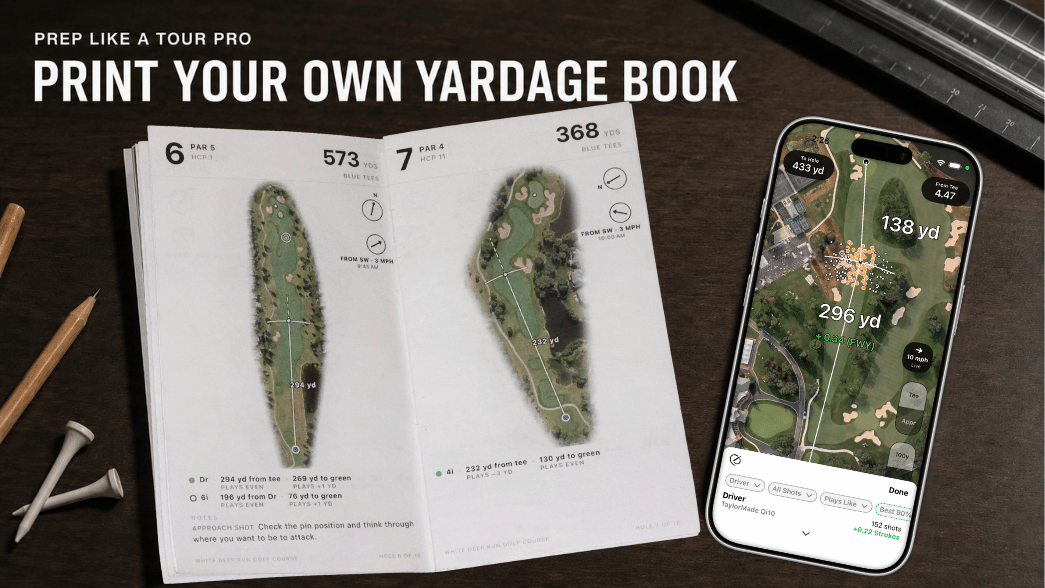

If you're using Shot Pattern, you almost certainly already know the importance of previewing courses and arriving with a plan. Measure landing zones off the tee and decide on targets. Identify likely pin placements and identify go/no-go approach shots. Check the wind and arrive prepared. It's a great starting place.
(Some fun insider knowledge: within the Shot Pattern app twice as many rounds are started in preview mode versus on the course.)
But 2D imagery can't tell you everything, and in many cases what it leaves out tends to be some of the most essential details for fine-tuning your strategy. Unpredictable, non-uniform surfaces are what give hazards serious teeth, and those are the exact details you should be on the lookout for when deciding upon strategy.
We recently launched a 3D course preview feature, and it has been a huge hit with Shot Pattern users, both new and old. I wanted to walk through how I'm using it to make sure there are no surprises when I show up at an unfamiliar course.
Here are the four things I'm looking at in 3D course preview.
1. The slope of the rough near hazards, especially water
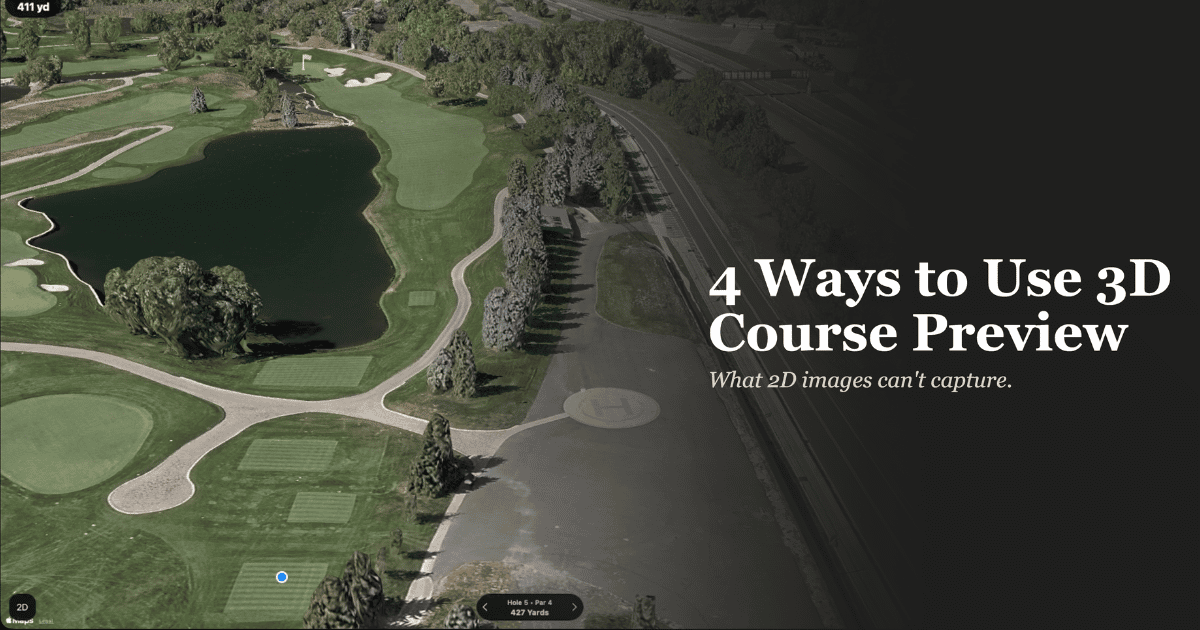
 Pictured: Severe drop offs near the water means that we cannot use the rough as part of the safe landing zone.
Shot Pattern is built around helping you find more room to miss. By now, I hope you know that missing into light rough is not a problem. Often, your willingness to miss into the rough becomes your strategic edge.
The biggest concern is when what looks like a safe place to miss is actually a steep slope that will kick your ball into trouble.
Anytime water is in play, I want to be especially careful to look at the contours near the water's edge. If I see steep slopes running down toward the hazard, I assume that anything landing in the rough in that area is going to feed right into the water.
This can shrink your effective landing zone by 10 or more yards and make a significant difference in where you should actually be aiming. Flat imagery shows you that there is rough between the fairway and the water. 3D preview shows you whether that rough is actually a safe place to land.
2. The Depth of Bunkers
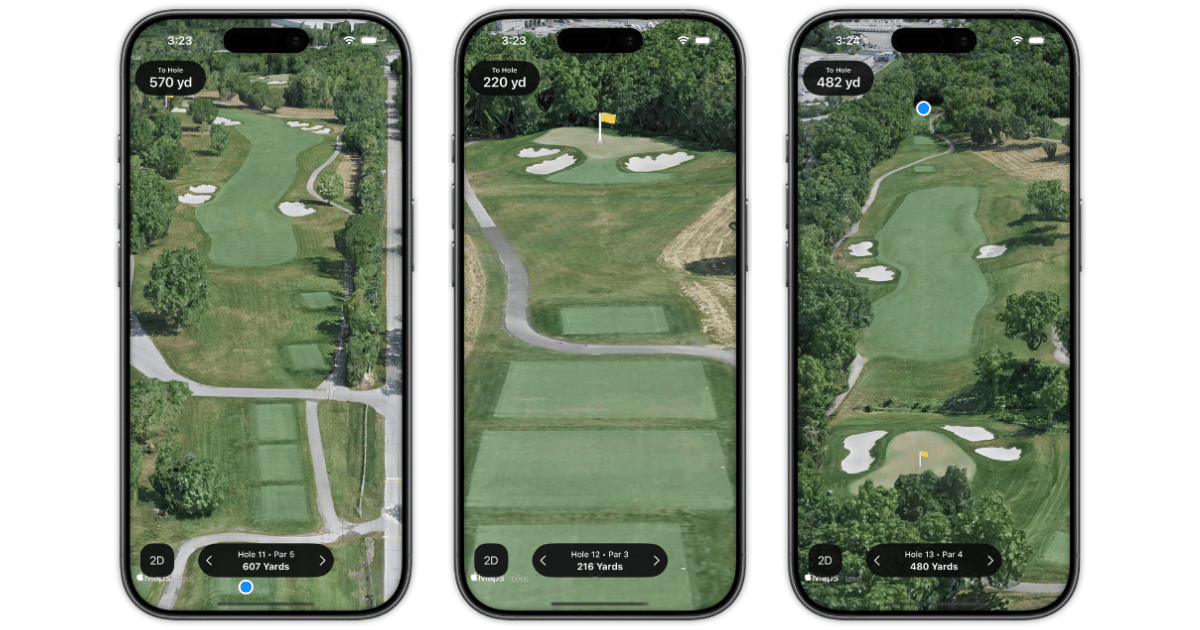 Pictured: Deep bunkers with lips are going to limit options. Pro tip: Look from multiple angles to get the fullest picture.
When I'm previewing a course, I'm not just looking at where the bunkers are. I'm trying to understand how severe of a penalty each bunker is going to be.
This matters most off the tee. There is a huge difference between a fairway bunker where you can still advance the ball all the way to the green and one where the height of the lip forces you to chunk it out 50 yards sideways. Bunkers that force a chunk out are closer to a full stroke penalty, and that changes the math on whether an aggressive line is worth the risk.
Be self aware here, too. Higher handicap players are significantly worse on fairway bunker shots than scratch players and pros. If you know that about your game, a fairway bunker that a low handicap might play through without much damage could be a round wrecker for you.
3D preview lets you see the depth and the lip before you ever arrive, so you can make that calculation at home instead of standing on the tee wondering what you're looking at.
3. The height of trees on doglegs
 Pictured: Left - Trees force a left to right shot shape. Center - Trees look easy to carry. Right - Tree in fairway is an easy carry but tree behind it may not be.
Tree height is especially important when you're evaluating whether to cut a dogleg. Flat imagery shows you the tree line and how much corner you'd need to carry, but it tells you nothing about how tall those trees actually are.
There's no perfect science here, but eyeballing the height of a tree in 3D preview can give you a good idea of whether it's something you can reliably carry or not.
My general rule: if your driver swing speed is not at least 105 mph, you should probably assume that you are not carrying a tree, period. 3D preview helps you make that call before the round instead of standing on the tee box guessing.
4. The texture of the grass in fescue and deep rough areas
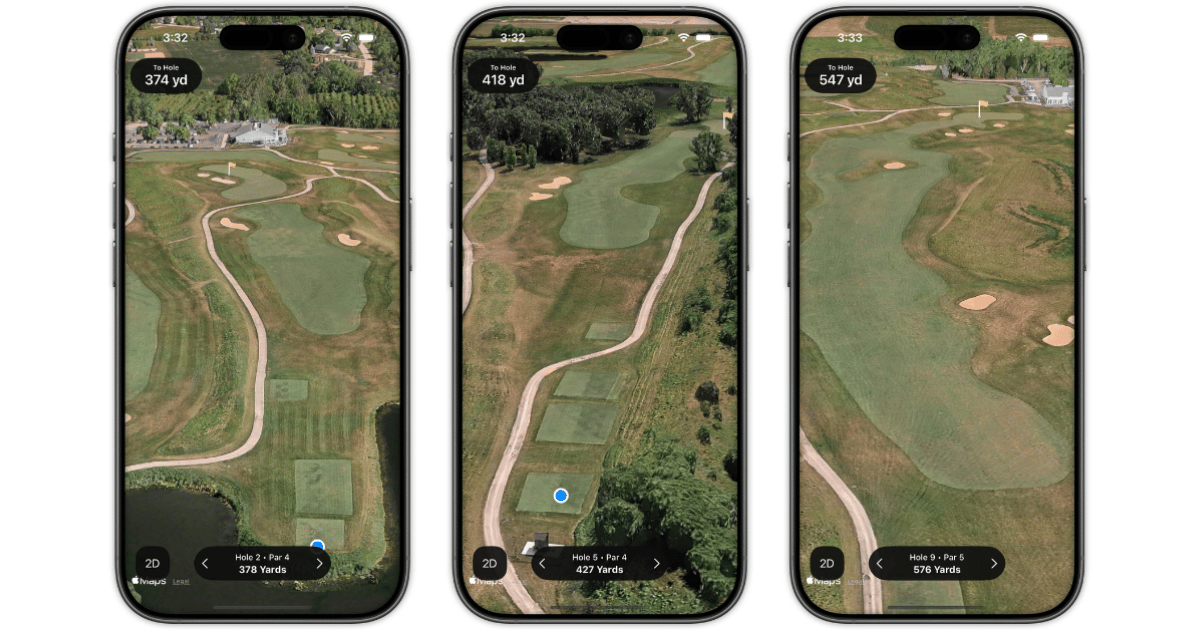 Pictured: Tall grasses may not show up super tall in 3D. Look for a big change in texture and have a plan ready in case these areas are going to be lost balls or recovery shots.
I live in Illinois, and a lot of courses in this area have deep fescue or wild grass areas that can vary wildly depending on the time of year. These areas can play about the same as normal rough, or they can mean an almost automatic lost ball.
The only way to know for sure is to step onto the course. But I use the 3D preview to find the areas that look like there's potential for trouble if the grass has grown long.
I've found that 3D preview shows textures really well, so it's a great tool for spotting these trouble areas compared to flat imagery. I'm not making definitive calls from the preview. I'm identifying the spots where I want to have a plan ready in case the grass is long, so I'm not caught off guard on the course.
Closing thoughts: AI and Course Strategy
I'm a huge fan of AI, and I use it frequently.
But when it comes to building a course strategy, context is king. Right now, there's not a good way to give AI the kind of contextual information it would need to make solid strategic reads for you.
I still trust you to be the best one to make these decisions for yourself. 3D course preview was built so that you can be as prepared and confident as possible when you step onto the tee.
Flat imagery gives you the layout. 3D gives you the terrain. And terrain is where the real surprises live.
Not a Shot Pattern user yet? Start your 7-day free trial here.
ee